


Many businesses eventually reach the same operational crossroads: they have multiple company files in QuickBooks Desktop and need a reliable way to combine financial reports across all entities or locations.
The short answer is yes, QuickBooks Desktop Enterprise includes a built-in “Combine Reports from Multiple Companies” feature that can help users combine certain standard reports, including Profit and Loss statements, across multiple company files.
For organizations using QuickBooks Desktop Pro or Premier, however, multi-company reporting often relies more heavily on manual Excel exports or third-party solutions. And as organizations grow, those workflows can become increasingly time-consuming and difficult to scale efficiently.
For small organizations with only a few entities, exporting reports into Excel and consolidating them manually may be manageable.
However, for franchises, accounting firms, and multi-entity organizations managing dozens or hundreds of locations, the process often becomes time-consuming, error-prone, and difficult to scale.
That’s why many organizations supplement QuickBooks with advanced financial performance management solutions like Qvinci. As the industry leader in multi-entity financial performance management, Qvinci uses patented technology to automate the collection, consolidation, and mapping of financial data into a standardized reporting structure, helping organizations move beyond spreadsheets and into near real-time, actionable business intelligence.
Table of Contents
- Can QuickBooks Desktop Combine Reports from Multiple Companies?
- How Businesses Typically Combine Multi-Company Profit and Loss Reports
- The Biggest Limitations of Manual Consolidation
- Why Standardized Data Matters
- How Qvinci Automates Multi-Entity Reporting
- From Financial Reporting to Financial Performance Management
- Conclusion
- FAQ
Can QuickBooks Desktop Combine Reports from Multiple Companies?
QuickBooks Desktop Enterprise provides a built-in way to combine certain standard reports across multiple company files. However, many organizations – particularly those using Pro or Premier – still rely heavily on Excel exports or third-party solutions for multi-entity reporting workflows.
For many businesses, QuickBooks Desktop remains a highly effective accounting platform. However, organizations managing larger multi-location or multi-entity environments often require additional automation, standardization, benchmarking, and financial performance management capabilities beyond basic report consolidation.
QuickBooks Desktop was originally designed primarily for individual business accounting rather than large-scale, multi-location financial performance management.
As a result, businesses that manage multiple entities often rely on a process that looks something like this:
- Generate a Profit and Loss report for each company file
- Export each report into Excel
- Align account structures manually
- Build formulas and consolidation worksheets
- Reconcile inconsistencies between entities
- Update the process every reporting period
_
This workflow may work adequately for a company managing two or three entities, but it will still be more time-consuming than more automated solutions like Qvinci.
But once organizations expand into larger multi-location environments, the operational burden increases dramatically.
At Qvinci, we’ve observed that organizations often begin searching for more automated consolidation solutions once spreadsheets start consuming more time than financial analysis itself.
How Businesses Typically Combine Multi-Company Profit and Loss Reports
Many organizations using QuickBooks Desktop supplement native reporting capabilities with Excel workflows or third-party solutions, because growing multi-entity environments often require additional financial performance management functionality beyond basic accounting and report consolidation.
The Traditional Excel Workflow
The traditional workflow usually begins with exporting individual company financials into Excel.
At first glance, the process appears straightforward: A finance team runs a Profit and Loss statement for each entity and copies the information into a master workbook. But over time, several operational challenges begin to emerge.
Accurately tracking transactions across all locations is essential to ensure reliable consolidation and prevent discrepancies in the final reports.
One location may classify expenses differently than another. Another may use different account names entirely. Others may contain mapping inconsistencies that require manual cleanup before reports can be finalized.
Finance teams then spend hours:
- Reclassifying accounts
- Aligning rows and columns
- Creating formulas
- Validating totals
- Troubleshooting errors
- Updating consolidation templates
_
And then the entire process repeats the following month.
The challenge becomes even more pronounced inside franchise environments.
Imagine a franchise accounting system with 75 locations. Each franchisee may have:
- Different bookkeeping habits
- Different accounting staff
- Different naming conventions
- Different QuickBooks configurations
_
Even small inconsistencies can create significant reporting friction.
Instead of spending time analyzing financial performance that leads to impactful strategic decision-making, leadership teams often spend most of their time simply preparing the data.
The Biggest Limitations of Manual Consolidation
Manual consolidation processes introduce delays, inconsistencies, and operational bottlenecks that impact decision-making across the organization.
Lack of Near Real-Time Visibility
One of the biggest limitations of manual consolidation is timing.
By the time reports are collected, reformatted, validated, and distributed, the underlying financial data may already be outdated.
This creates challenges for leadership teams trying to:
- Identify at-risk locations
- Monitor operational trends
- Compare entity performance
- Coach struggling locations
- Make proactive decisions
Organizations increasingly want near real-time visibility into financial performance, not static reports that reflect conditions from weeks earlier.
Inconsistent Charts of Accounts
Another common challenge is inconsistency between Charts of Accounts.
Even organizations operating under a brand-defined Standard Chart of Accounts often encounter local variations in how expenses and revenues are categorized.
Without standardized mapping, apples-to-apples comparisons become virtually impossible.
This directly impacts:
- Benchmarking
- Ranking analysis
- KPI tracking
- Trend analysis
- Forecasting accuracy
At scale, inconsistent data structures make meaningful comparative reporting extremely difficult.
Heavy Dependence on Spreadsheets
Spreadsheets are powerful tools, but they were never intended to serve as large-scale financial consolidation engines.
As organizations grow, spreadsheet dependency often creates:
- Risk of failure of all locations to submit Excel financials
- Version control issues
- Formula errors
- Broken links
- Manual reconciliation burdens
- Increased audit risk
_
Finance and operations teams will spend more time assembling reports than analyzing performance.
Limited Business Intelligence in QuickBooks Alone
QuickBooks Desktop provides strong accounting functionality, but organizations often require more advanced business intelligence capabilities as they scale.
For example:
- Peer benchmarking
- KPI scorecards
- Wellness dashboards
- Predictive analytics
- Cashflow forecasting
- Location rankings
- Comparative trend analysis
_
These capabilities typically require specialized financial performance management tools layered on top of accounting systems.
That’s where a patented platform like Qvinci becomes increasingly valuable for multi-entity organizations.
Download your copy
Evaluating a Financial Management Solution for Your Multi-Entity Organization
Download Now

Why Standardized Data Matters
Consolidated reporting is only useful if the underlying data is standardized and comparable.
A Standard Chart of Accounts creates consistency across multiple entities or locations. It ensures that financial data is categorized uniformly, allowing organizations to compare performance meaningfully across their ecosystem.
Without standardization, combined reports may technically exist, but the insights drawn from them may be unreliable.
This distinction is important.
There is a major difference between combined data and actionable intelligence.
Actionable intelligence empowers organizations to:
- Benchmark locations
- Identify top performers
- Detect operational inefficiencies
- Forecast future performance
- Improve compliance
- Coach owners/managers more effectively
_
For franchise brands especially, standardized data is foundational to operational visibility.
At Qvinci, standardized account mapping is central to the platform’s patented technology. The solution automates the collection, consolidation, and mapping of financial data into a brand-defined Standard Chart of Accounts.
How Qvinci Automates Multi-Entity Reporting
Qvinci was designed specifically to solve the challenges associated with multi-entity financial reporting and performance management.
Unlike traditional manual workflows, Qvinci automates:
- Data collection
- Consolidation
- Account mapping
- Standardization
- Comparative reporting
Using patented technology, Qvinci synchronizes financial data from multiple entities and maps that data into an organization-defined Standard Chart of Accounts, creating near real-time visibility across the entire ecosystem.
What Makes Qvinci Different
Qvinci extends beyond basic financial consolidation by providing advanced business intelligence capabilities designed specifically for multi-location organizations.
Key capabilities include:
- Automated multi-entity consolidation
- Patented account mapping
- KPI scorecards
- Wellness dashboards
- Benchmarking and ranking
- Predictive analytics
- Drill-down reporting
- Cashflow forecasting
- Customizable reporting templates
_
Qvinci also helps organizations avoid unnecessary ERP migrations.
Many businesses outgrow spreadsheets long before they truly require the cost and complexity of a traditional mid-market ERP system.
Qvinci fills that gap by enhancing existing accounting platforms like QuickBooks Desktop without forcing disruptive operational changes and exorbitant fees for features they don’t need, and won’t use, that often accompany switching to unnecessary ERP platforms.
Why This Matters for Franchise Accounting Systems
Franchise organizations in particular – and multi-location organizations in general – face unique operational pressures because financial performance must be monitored across many independently operated units.
Franchisors definitely need visibility into:
- Franchisee profitability
- Benchmark comparisons
- Royalty validation
- Compliance monitoring
- Location-level trends
- At-risk operators
- Item 19 Report generation
_
Qvinci was specifically designed to support these environments.
Its patented multi-entity and multi-location financial performance management capabilities help brands automate financial consolidation while preserving the unit owners’ and managers’ ability to continue using QuickBooks Desktop and other familiar accounting systems.
This allows operations teams to spend less time collecting reports and more time coaching owners and operators, while improving brand performance.
Avoiding ERP Complexity
Many organizations eventually outgrow spreadsheets long before they’re ready for the cost, complexity, and disruption associated with implementing a traditional ERP platform.
That creates a difficult middle ground.
On one side, finance teams are struggling with manual consolidation, inconsistent reporting structures, and spreadsheet-heavy workflows. On the other, a full ERP migration may feel excessive, expensive, and operationally disruptive for organizations that otherwise still value their existing accounting systems like QuickBooks Desktop.
This is where Qvinci fills an important gap.
Rather than forcing organizations to abandon their current accounting platforms, Qvinci enhances them by adding advanced multi-entity reporting, business intelligence, and financial performance management capabilities on top of existing systems.
Organizations can continue using QuickBooks Desktop while gaining access to:
- Automated consolidation
- Patented account mapping
- Near real-time reporting visibility
- Benchmarking and KPI scorecards
- Predictive analytics
- Cashflow forecasting
- Multi-location performance insights
_
For franchises, accounting firms, dioceses, and multi-entity organizations, this approach provides a faster and more cost-effective path forward than migrating to a large ERP system at a fraction of the cost.
The benefit of allowing entities to continue to use their current accounting system without the need to migrate data and learn a new system is also major savings for each location as well as the central office.
At Qvinci, we’ve observed that many organizations simply want better visibility, standardized reporting, and actionable financial intelligence without the operational burden of replacing the accounting systems their locations already know and trust, namely QuickBooks.
From Financial Reporting to Financial Performance Management
Organizations today increasingly require more than static financial reports.
They need:
- Faster insights
- Better operational visibility
- Comparative analytics
- Forecasting capabilities
- Drill-down analysis
- Performance coaching tools
This shift is driving increased demand for financial performance management platforms.
Qvinci Intelligence was developed specifically for this next generation of multi-location analysis.
The platform enables organizations to move beyond static reporting into interactive performance management.
Rather than simply reviewing historical reports, organizations can:
- Compare locations
- Analyze trends
- Identify high and low performers
- Drill down into transaction-level detail
- Communicate insights more effectively
This transforms financial reporting from a backward-looking exercise into a forward-looking operational strategy.
Get your free copy
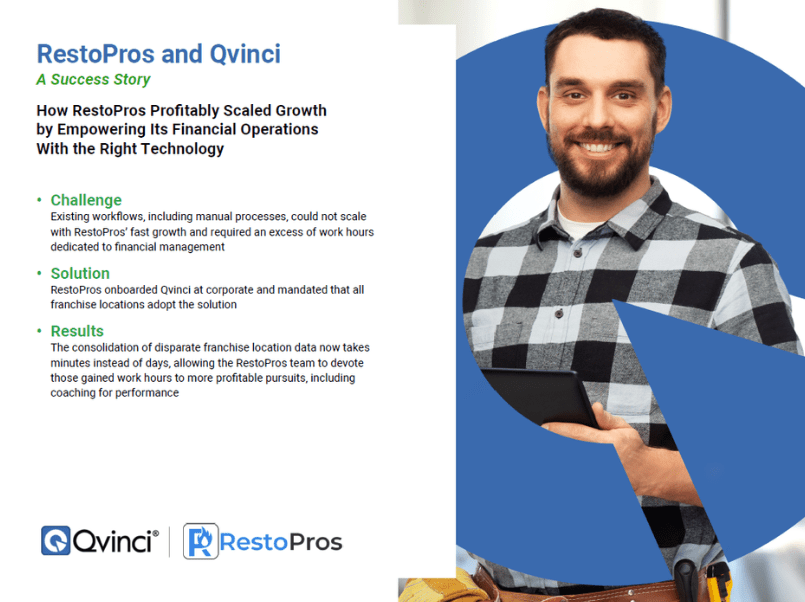
RestoPros and Qvinci: A Success Story
Download Now
Conclusion
QuickBooks Desktop Enterprise includes built-in functionality that can help organizations combine certain reports, including Profit and Loss statements, across multiple company files.
For smaller organizations, that approach may be manageable.
But as businesses scale into multi-entity, franchise, or multi-location environments, manual consolidation workflows can create operational bottlenecks, delayed reporting, and limited visibility.
Modern organizations increasingly require:
- Automatic financial data collection from all entities
- Automated consolidation
- Standardized account mapping
- Near real-time reporting
- Benchmarking and ranking
- Predictive analytics
- Financial performance management
_
That’s where Qvinci differentiates itself.
As an industry-leading platform built specifically for multi-entity financial performance management, Qvinci combines patented consolidation technology with advanced business intelligence capabilities that help organizations transform disconnected financial data into actionable, strategic insights.
FAQ
Can QuickBooks Desktop consolidate multiple company files?
QuickBooks Desktop includes a built-in feature for combining certain standard reports across multiple company files. Many organizations, particularly those using other Desktop editions, still rely on Excel workflows or third-party solutions for broader multi-entity reporting needs.
Can QuickBooks Desktop create a consolidated profit and loss report?
QuickBooks Desktop Enterprise can combine certain standard reports, including Profit and Loss statements, across multiple company files. However, many larger organizations still supplement QuickBooks with additional tools to automate standardization, benchmarking, forecasting, and broader financial performance management workflows.
What is the easiest way to combine reports from multiple QuickBooks companies?
For very small organizations, Excel consolidation may be sufficient. For larger multi-location organizations, automated solutions like Qvinci will significantly reduce manual work and improve reporting accuracy.
Why do franchises struggle with manual financial consolidation?
Franchise brands often manage many locations using different accounting practices and account structures. Manual consolidation becomes difficult because of inconsistent data, delayed reporting, and spreadsheet complexity.
What is a Standard Chart of Accounts?
A Standard Chart of Accounts is a consistent financial structure used across multiple entities or locations. It enables organizations to compare financial performance using standardized account categories.
Does QuickBooks Desktop support benchmarking across locations?
While QuickBooks Desktop provides strong accounting functionality, many larger multi-entity organizations supplement it with specialized business intelligence and financial performance management tools for benchmarking, comparative analytics, and operational visibility across locations.
What is the difference between consolidation and financial performance management?
Consolidation combines financial data into one report. Financial performance management goes further by providing benchmarking, KPIs, forecasting, trend analysis, and operational insights.
Can Qvinci work with QuickBooks Desktop?
Yes. Qvinci integrates with QuickBooks Desktop and automates the collection, consolidation, and mapping of financial data into standardized reporting structures.